
Section Layout
See the developer documentation for technical details about the section layout.
When to use a section layout
Use section layouts to visually group related parts of interfaces. Select the “Standard” margin below value to visually separate the section from other content below it. An optional heading may be specified to describe the section. Sections may also be configured to allow users to collapse and expand content.
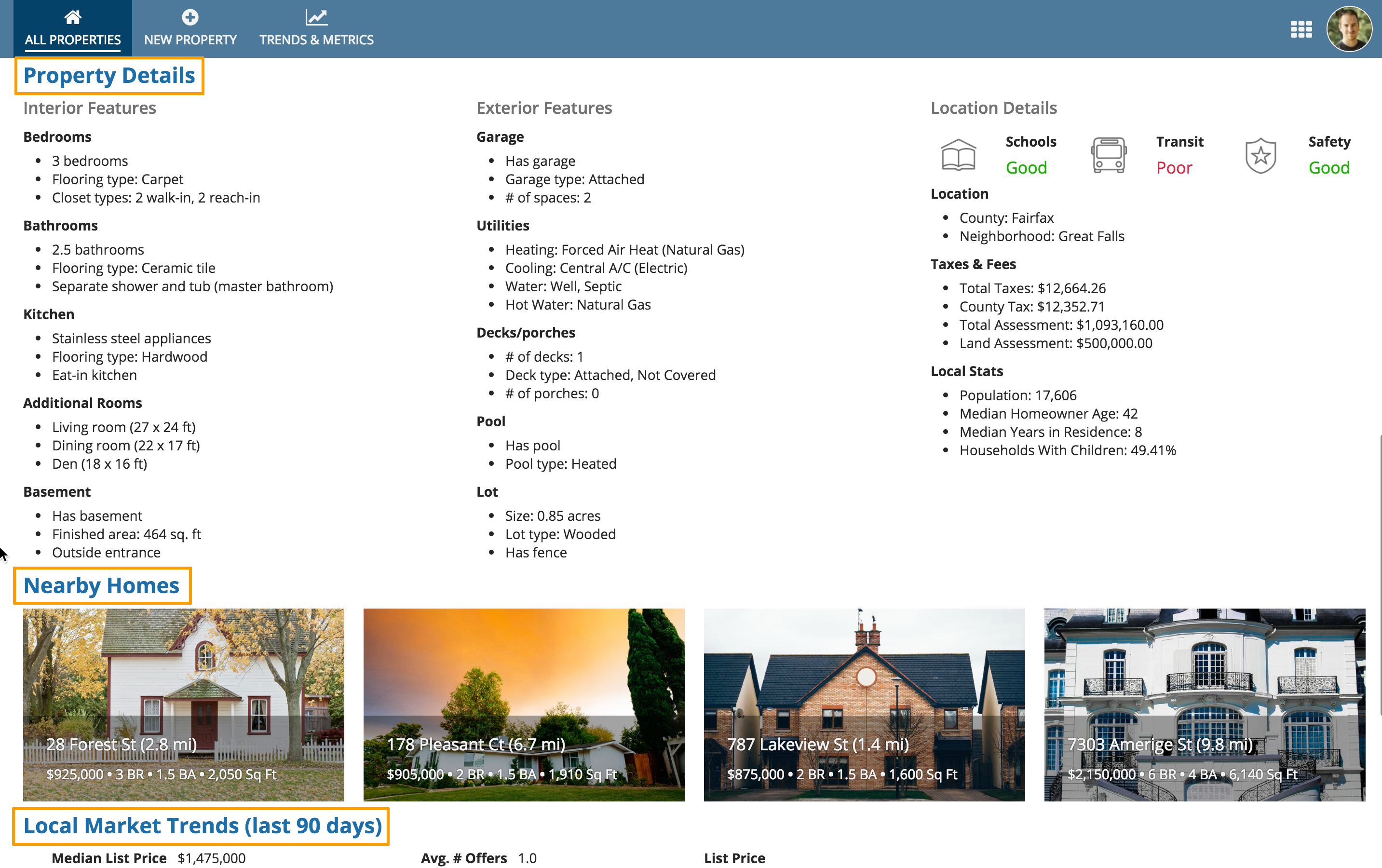
Use section headings to describe the key content groupings on a page
Use varied section label sizes
Too much uniform text can make it hard to scan a page and identify important information. Use varied section label sizes to highlight key values and to convey visual hierarchy. As you structure your page using sections, ensure the section labels follow accessibility guidelines.
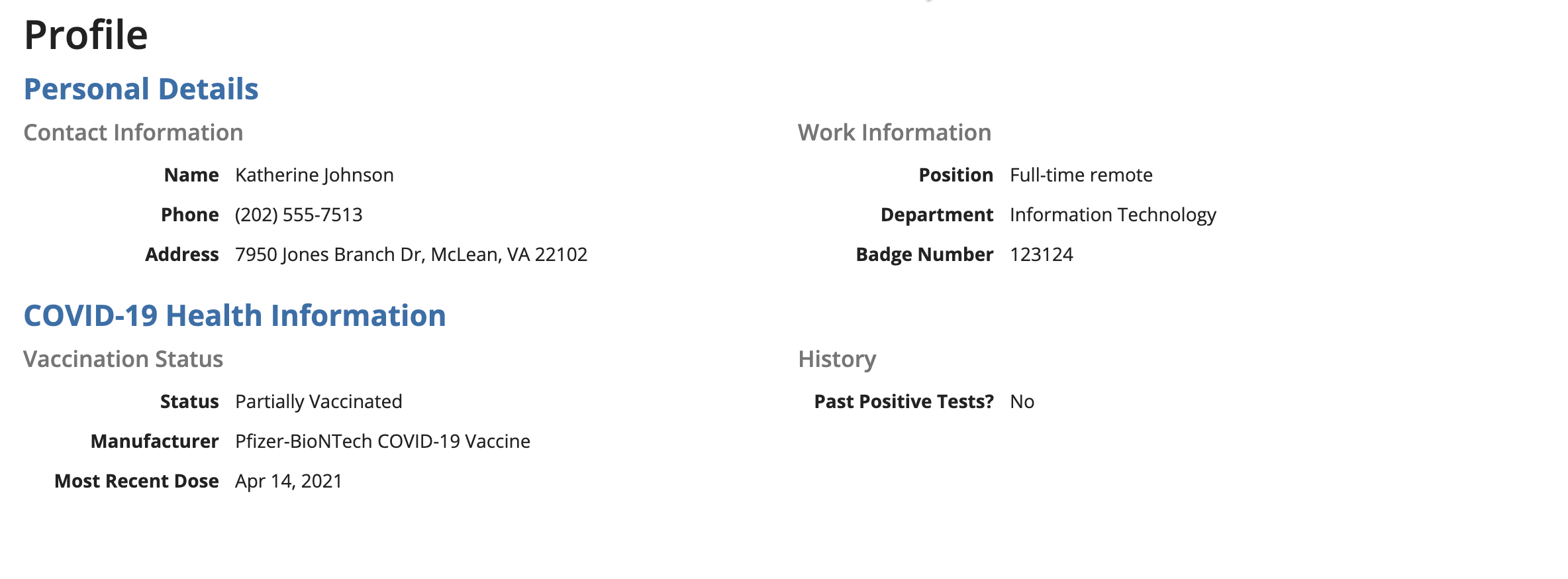
Use varied section label sizes to convey an organized and logical hierarchy of information on the page.
Collapsible sections
Collapsible sections add clutter to pages and also increase the cognitive load on users. Don't make sections collapsible unless you have a good reason to believe that users would benefit from the capability. For example, a form that users would fill out from top to bottom probably doesn't need collapsible sections.
An example of when to use collapsible sections is when a user doesn't need to read a page from top to bottom, and knows exactly which section they want to jump to.
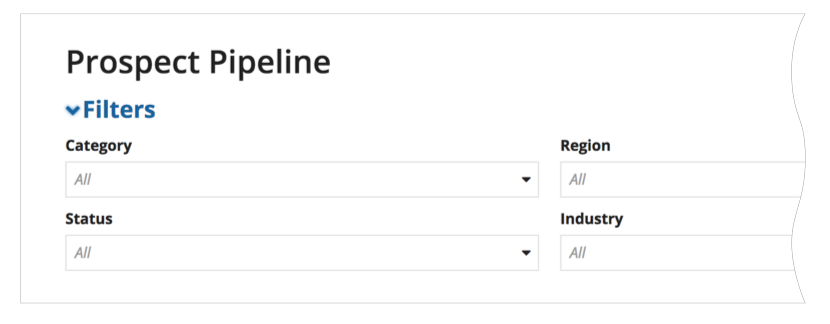
Don't use section headings for page content controls, such as filters
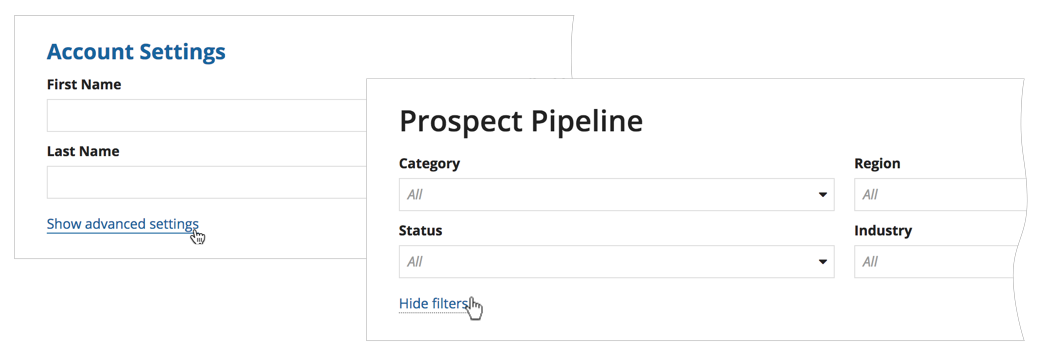
Use links to show and hide controls. Reserve section headers for representing the content structure of your page.
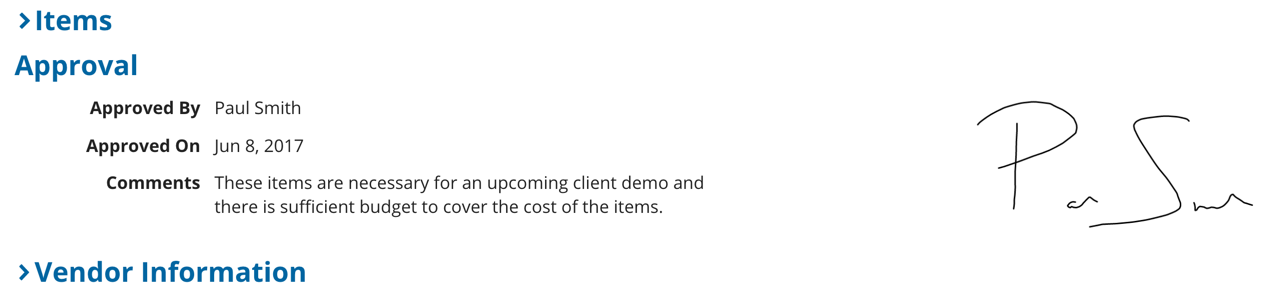
Don't mix collapsible and non-collapsible sections on the same page to allow for better alignment of the section headings
Heading hierarchy
Use the labelFontWeight parameter to control the visual weight of section headings. Combined with label size and color, font weight helps establish a clear hierarchy that makes pages easier to scan.
See also: Patterns: Content Structure
Keep font weight for section labels consistent throughout your application
Ensure that the selected font weight for section layout labels matches the overall typographic hierarchy in the application to create consistency across all of your headings.
Differentiate heading levels with font weight
Use label font weight to differentiate heading levels when using multiple sections on the same page. Pairing font weight with label size creates a clear visual hierarchy that helps users scan the page.
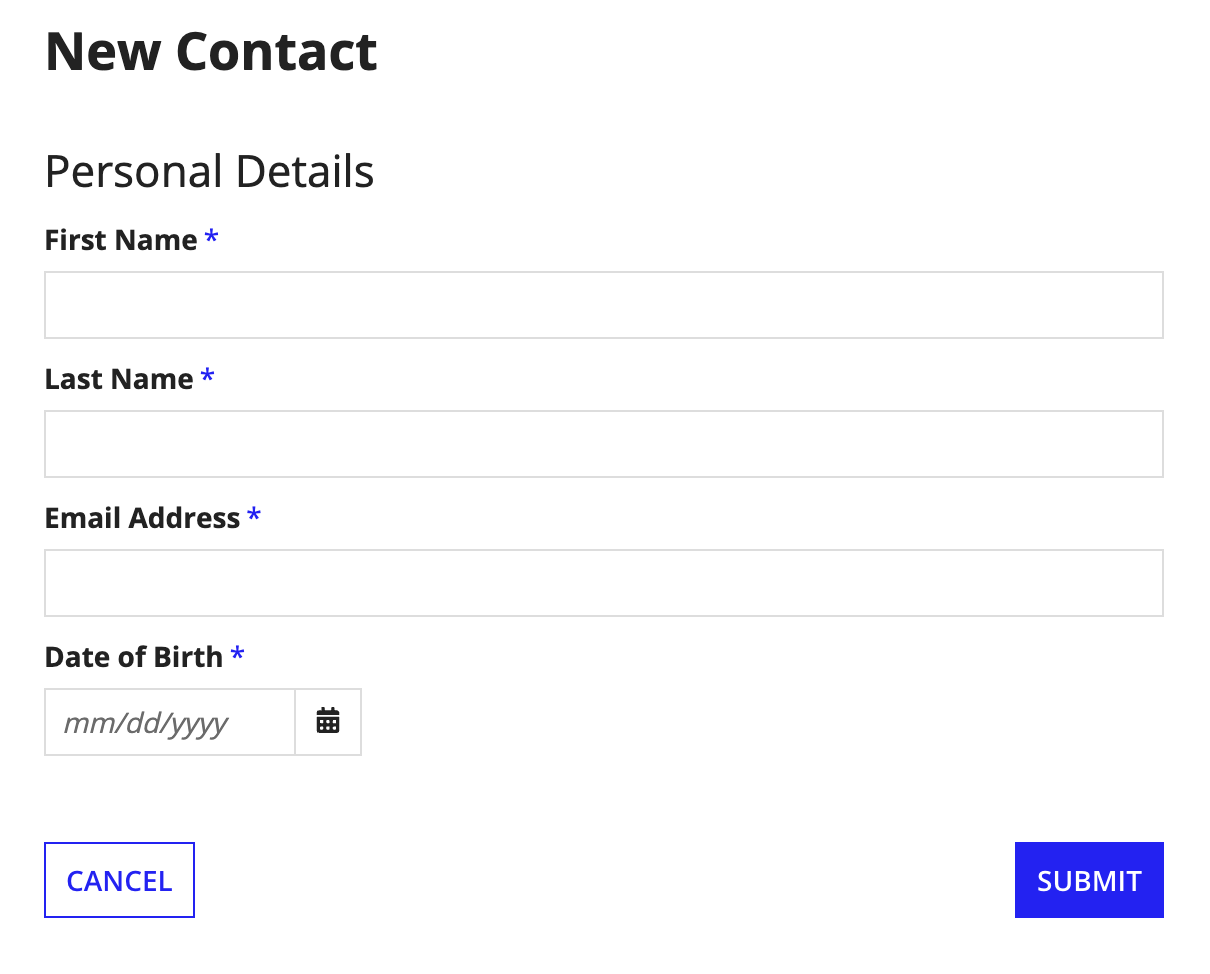
Use different font weights for different heading levels so users can easily scan and identify the page structure.
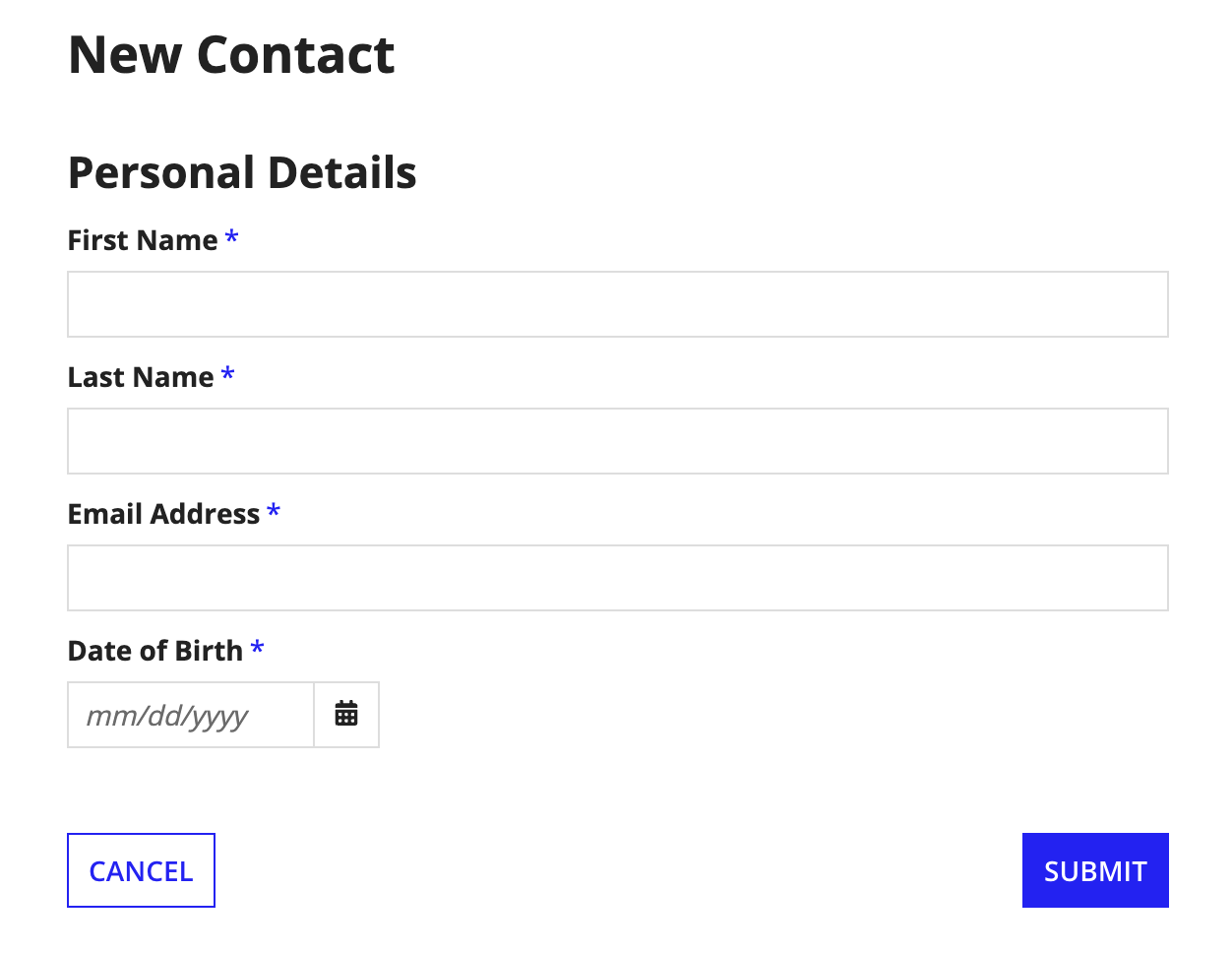
Don't use the same font weight for different heading levels. When "Personal Details" has the same weight as the form title, it's harder to scan the page and identify sections.
